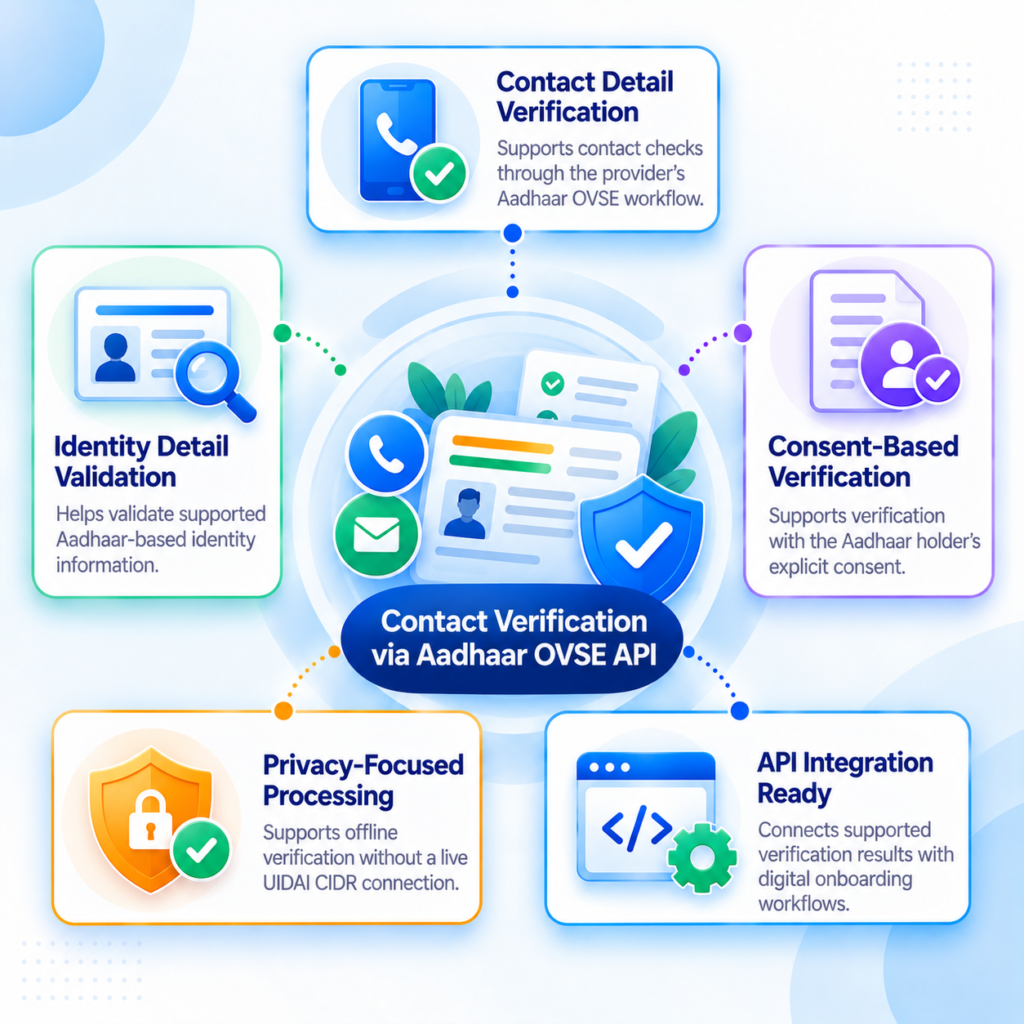
Contact Verification via Aadhaar OVSE Verify Customer Contact Details Through Aadhaar App-Based Verification
The Contact Verification via Aadhaar OVSE API enables businesses to verify customer-provided mobile numbers or email addresses against Aadhaar-linked contact details through a consent-based Aadhaar App workflow. It helps improve contact data reliability and supports customer onboarding, account registration, payment notifications, collections, and other business processes. Verification results depend on customer consent, shared information, and the supported integration.
End-to-End Flow
Collect Contact Details
Initiate the Verification Request
Redirect or Connect to the Aadhaar App
Obtain Customer Consent
Verify Contact Information
Process the Verification Outcome
Return the Result to the Business
Complete Customer Onboarding
Key Capabilities
Aadhaar-Linked Contact Verification
Verify customer-provided contact details against information made available through the supported Aadhaar App verification workflow.
Mobile Number Matching
Check whether the submitted mobile number matches the relevant Aadhaar-linked contact information available to the verification process.
Email Address Matching
Support email address verification when the selected contact verification implementation exposes this capability.
Customer-Authorized Verification
Incorporate an explicit customer authorization step into the verification process before contact details are checked.
Reduced Dependence on SMS OTP
Offer an alternative to workflows that rely solely on SMS OTP delivery and manual code entry. Other authentication steps may still be required by the application.
Privacy-Conscious Response
Return the contact verification outcome without unnecessarily exposing Aadhaar identity information to the requesting business, subject to the actual response schema.
Use Cases

Banking and Fintech Onboarding
Verify customer contact details during digital account registration to help maintain reliable communication information.

Digital Lending and Collections
Validate contact information during loan onboarding and support communication workflows for repayment reminders, account updates, and other customer notifications.

E-commerce and Customer Registration
Add a contact verification step during account creation to help reduce registrations using incorrect or mismatched contact details.
Developer Experience
Enable consent-based verification of customer contact details through Aadhaar App workflows and seamless API integration.
Simple API Integration
Connect contact verification to web applications, mobile apps, and customer onboarding platforms through the integration interface documented by FinAnalyz.
Aadhaar App-Based Journey
Build the customer experience around the supported Aadhaar App authorization and verification process.
Structured JSON Responses
Process machine-readable verification outcomes and map them to internal customer records and onboarding states.
Reduced OTP Dependency
Use Aadhaar App-based contact verification as an alternative to relying exclusively on SMS OTPs for validating submitted contact details.
Workflow Automation
Connect verification results to CRM systems, lending platforms, customer databases, notification services, and account activation processes.
Secure Data Handling
Protect contact information, limit access to authorized systems, and follow applicable UIDAI requirements and privacy obligations.
Suggested Input
Illustrative structure only — the actual FinAnalyz production request schema may differ. The request may initiate a customer authorization journey rather than directly verify a contact detail.
{
“reference_id”: “FIN-CONTACT-001”,
“mobile_number”: “98XXXXXX10”,
“email”: “customer@example.com”,
“verification_type”: “MOBILE_AND_EMAIL”
}
Suggested Output
Illustrative structure only — these fields and status values are examples, not confirmed production response fields.
{
“reference_id”: “FIN-CONTACT-001”,
“verification_status”: “SUCCESS”,
“mobile_verification”: {
“status”: “VERIFIED”
},
“email_verification”: {
“status”: “VERIFIED”
},
“aadhaar_number_shared”: false,
“status”: “SUCCESS”
}
Implementation note: Confirm whether mobile and email verification can be requested together, which contact fields are supported, how customer authorization is initiated, and which response statuses are available before publishing these examples as production documentation.
Frequently Asked Questions
What is Contact Verification via Aadhaar OVSE?
It is a contact verification service that checks whether a customer-provided mobile number or email address matches contact information available through a consent-based Aadhaar App verification workflow.
How does Aadhaar OVSE contact verification work?
The business initiates a verification request, the customer authorizes the process through the supported Aadhaar App journey, and the integration returns the applicable contact verification outcome.
Does this API verify mobile numbers and email addresses?
The referenced contact verification service describes both mobile number and email verification. The exact combinations available through FinAnalyz depend on the production integration.
Is customer consent required?
Yes. The customer must authorize the verification. UIDAI's applicable regulations require entities to explain the purpose and information involved, obtain consent, and provide a viable alternative means of identification where required.
Does the business receive the customer's Aadhaar number?
The contact verification workflow is designed to return contact verification results without exposing the customer's full Aadhaar number to the business. Confirm the precise data returned by the selected integration.
Is this API dependent on SMS OTP delivery?
The service is positioned as an alternative to verification workflows that rely exclusively on SMS OTP delivery. However, the overall customer journey may involve additional authentication or authorization steps.
What happens if the contact details do not match?
The verification result can indicate a mismatch or that the submitted contact information could not be verified, depending on the supported response statuses. The business can then request updated information or offer another suitable verification method.