
Finanalyz

Hyderabad info@finanalyz.com

ePassport Verification API Simplify Electronic Passport Verification with FinAnalyz APIs

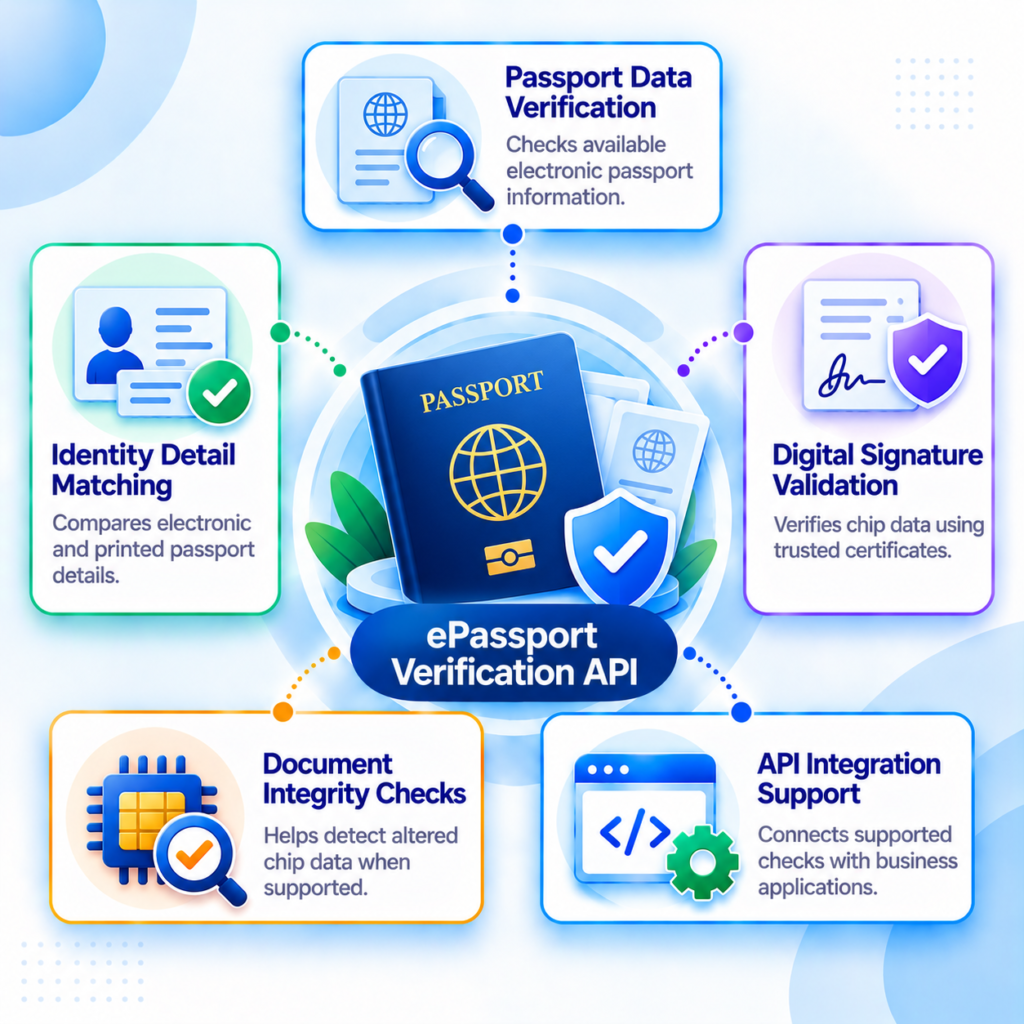
The ePassport Verification API is designed to help businesses incorporate electronic passport checks into digital identity and document review workflows. An ePassport combines printed passport information with an embedded electronic chip that stores protected personal and biometric data. Depending on the connected service, an API-based workflow may support document data extraction, field matching, or electronic-chip validation where compatible technology and authorized access are available. The exact verification methods and returned information depend on the API’s supported capabilities.

End-to-End Flow

1

Submit Passport Information

2

Validate the Request

3

Extract Available Details

4

Perform Supported Verification Checks

5

Generate the Verification Result

6

Generate the Verification Result

7

Return the API Response

8

Complete the Business Workflow

Key Capabilities

ePassport Detail Verification
Supports workflows for checking submitted electronic passport details using the verification methods available through the connected service.

Passport Data Extraction
Extracts relevant passport information from submitted documents when OCR or document-processing functionality is supported.

Field Matching and Validation
Supports comparison of available fields, such as the passport holder’s name, passport number, nationality, or expiry date, where these checks are available.

Electronic Chip Validation
Enables chip-reading and cryptographic validation workflows only when the integration supports compatible hardware, protocols, and required trust information.

Document Consistency Checks
Helps identify inconsistencies between submitted document information and extracted data where supported.

Structured Verification Results
Returns supported verification outcomes in the response format documented for the API.

Digital Onboarding Integration
Connects supported passport checks with customer onboarding, travel services, and identity management applications.

Secure Data Handling
Supports responsible processing through appropriate authentication, access restrictions, and careful handling of passport and biometric information.

Use Cases

Banking and Financial Services

Support authorized identity document review during customer onboarding and KYC workflows when passport verification is relevant.

data_aggregation

Travel and Hospitality

Integrate supported passport document checks into guest registration, travel service, and identity review workflows.

categorization

Immigration and Border-Related Systems

Support compatible electronic travel-document inspection workflows where the organization has the required authorization, equipment, and access.

Developer Experience

Secure REST APIs with ePassport verification and structured JSON responses for seamless identity validation and document verification.

API-Based Integration

Connect the ePassport Verification API to an existing application using the endpoint, authentication method, and request format specified in the FinAnalyz documentation.

Flexible Input Handling

Submit the passport identifier, document image, or other information accepted by the selected endpoint.

Document Processing Support

Use OCR or document extraction functionality where available to reduce manual entry of passport information.

Structured Response Handling

Process the returned verification status and available fields according to the documented response schema.

Error Handling

Handle invalid inputs, unsupported documents, authentication failures, mismatched details, and service errors according to the API’s documented responses.

Secure Integration Practices

Use HTTPS where supported, protect API credentials, restrict access to passport data, and avoid storing unnecessary personal or biometric information.

Suggested Input JSON (Illustrative Only)

The following is a conceptual example, not a confirmed production request schema. Actual inputs depend on the supported endpoint and verification method.

{
  "passport_number": "<PASSPORT_NUMBER>",
  "document_image": "<SUPPORTED_DOCUMENT_INPUT>"
}

Suggested Output JSON (Illustrative Only)

This example illustrates a possible response structure only. The actual fields and verification status must be confirmed in the FinAnalyz API documentation.

{
  "success": true,
  "message": "Verification request processed",
  "data": {
    "verification_status": "<STATUS>",
    "passport_number": "<PASSPORT_NUMBER>",
    "name_match": "<TRUE_OR_FALSE>",
    "expiry_date": "<YYYY-MM-DD>",
    "chip_validation_status": "<STATUS_OR_NOT_SUPPORTED>"
  }
}

Important Integration Note: Confirm the production endpoint, accepted inputs, supported passport types, authentication requirements, verification source, chip-reading requirements, response fields, and error codes before implementation. Reading data from a passport image is not the same as authenticating its electronic chip. Chip-level verification may require a compatible reader, access-control procedures, cryptographic checks, and trusted issuer information. Do not assume that a standard web API can independently access government passport records or validate every ePassport.

Frequently Asked Questions

What is an ePassport Verification API?

An ePassport Verification API helps applications incorporate electronic passport document checks into digital workflows. Depending on the connected service, it may support data extraction, field matching, or electronic-chip validation.

An ePassport is a travel document that combines printed passport information with an embedded electronic chip containing protected personal and biometric data. The chip and document are designed to support stronger checks of data integrity and authenticity.

A traditional passport primarily presents its information in printed form, while an ePassport also contains an embedded electronic chip. The chip enables compatible inspection systems to perform additional electronic checks.

Only if the specific integration supports chip reading, compatible hardware or device capabilities, applicable access-control protocols, and the required validation mechanisms. Document OCR alone cannot read or authenticate the electronic chip.

Depending on the document and supported processing features, information may include the passport number, holder's name, nationality, date of birth, and expiry date. Biometric or chip-stored data requires separate technical and authorization considerations.

It may help identify inconsistencies or perform supported document or chip-authentication checks. However, extracting printed information or matching fields alone does not establish that a passport is genuine.

Still have any question? Please contact our sales team